WhatsApp Link Generator
Create a wa.me link with a prewritten message so customers can reach you in one tap.
Processed on your device. Nothing you type is sent anywhere.
How to use: WhatsApp Link Generator
- Enter the phone number with its area code.
- Write the message you want the customer to send (optional).
- Copy the link or download the QR code.
About this tool
Great for your Instagram bio, website and online store buttons, email signatures, and business cards (with the QR code).
How the link is built
The link uses WhatsApp’s official format: https://wa.me/ + the full phone number in international format, without + signs, spaces, parentheses, or hyphens. Include the country code, followed by the area code and phone number:
| You enter | It becomes |
|---|---|
| (212) 555-0123 | wa.me/12125550123 |
| 020 7946 0958 | wa.me/442079460958 (UK) |
| +351 912 345 678 | wa.me/351912345678 (Portugal) |
The prewritten message goes after ?text=, URL-encoded (spaces become %20, and accented characters become sequences like %C3%A1). Emojis and line breaks work too.
Prewritten message ideas
- Store: "Hi! I saw this product on Instagram and would like to know the price and delivery time."
- Appointment: "Hi, I’d like to schedule an appointment. What times are available this week?"
- Campaign: Include a code ("I’d like the BLACK10 coupon") to see which ad each contact came from.
The message appears prefilled, but the person can still edit it before sending. Keep messages short: long messages create huge links, making the QR code denser.
Frequently asked questions
Does the link work on a computer?
Yes. On a phone, it opens the WhatsApp app; on a computer, it opens WhatsApp Web or the desktop app.
Do I need WhatsApp Business?
No. The wa.me link works with any account, personal or Business.
Does the link expire?
No. It only contains the phone number and message, and doesn’t go through any of our servers.
Does it work with a landline number?
It works if the landline number has a WhatsApp account (for example, WhatsApp Business set up with a landline). If the number isn’t linked to an account, WhatsApp will let you know it isn’t on the app.
Is it really free? Is there a daily limit?
It's free with no daily limits. Processing happens on your device, so there's no per-use cost and no need to limit you.
Does it work on phones?
Yes. The site works in any modern browser on Android, iPhone, Windows, Mac, and Linux—no installation needed.
Related tools
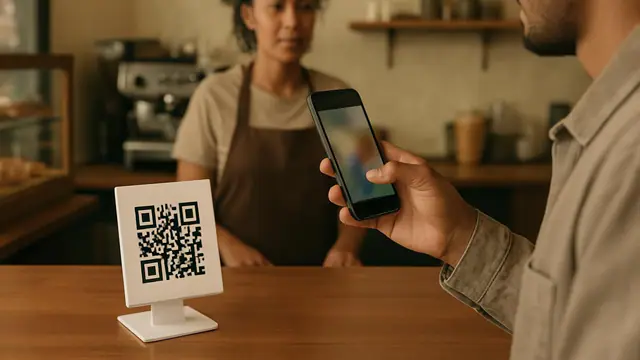 QR Code Generator
Create QR codes for links, Wi-Fi, WhatsApp, email, and text.
Read QR Code from Image
Scan QR codes from a photo or screenshot right on your computer or phone.
QR Code Generator
Create QR codes for links, Wi-Fi, WhatsApp, email, and text.
Read QR Code from Image
Scan QR codes from a photo or screenshot right on your computer or phone.
 Name Wheel
Spin a colorful wheel with any names you like and pick a winner instantly.
Name Wheel
Spin a colorful wheel with any names you like and pick a winner instantly.
 Random Number Generator
Generate random numbers in any range, with or without repeats, using a cryptographic random number generator.
Random Number Generator
Generate random numbers in any range, with or without repeats, using a cryptographic random number generator.
 Random Name Picker
Pick winners from a list, split people into teams, or run an online Secret Santa draw.
Random Name Picker
Pick winners from a list, split people into teams, or run an online Secret Santa draw.
 Barcode Generator
Generate EAN-13, EAN-8, Code 128, and ITF barcodes as SVG or PNG, with check digit calculation and validation.
Barcode Generator
Generate EAN-13, EAN-8, Code 128, and ITF barcodes as SVG or PNG, with check digit calculation and validation.
 Email Signature Generator
Create a professional email signature with your photo, job title, phone number, and social media links, then copy it to Gmail or Outlook.
Email Signature Generator
Create a professional email signature with your photo, job title, phone number, and social media links, then copy it to Gmail or Outlook.
 Password Generator
Create strong, random passwords with your browser's cryptographic random number generator.
Password Generator
Create strong, random passwords with your browser's cryptographic random number generator.