PDF tools
Merge, split, compress, edit, sign, and organize PDF files right in your browser.
PDF30
 Merge PDF
Combine multiple PDF files into one, in any order you choose.
Merge PDF
Combine multiple PDF files into one, in any order you choose.
 Split PDF
Split a PDF into multiple files by page range or one page at a time.
Organize PDF
Reorder, rotate, and delete pages by dragging thumbnails.
Split PDF
Split a PDF into multiple files by page range or one page at a time.
Organize PDF
Reorder, rotate, and delete pages by dragging thumbnails.
 Compress PDF
Reduce your PDF file size while keeping it easy to read.
Compress PDF
Reduce your PDF file size while keeping it easy to read.
 Sign PDF
Draw, type, or upload your signature, then place it on the document.
Sign PDF
Draw, type, or upload your signature, then place it on the document.
 Edit PDF
Edit existing text in your PDF by clicking it. Add or delete text, highlight, draw, insert shapes, images, signatures, links, and fields—or rotate, delete, and rearrange pages.
Document Scanner
Turn document photos into scanned PDFs. Crop the corners, correct the perspective, and convert them to black and white.
Edit PDF
Edit existing text in your PDF by clicking it. Add or delete text, highlight, draw, insert shapes, images, signatures, links, and fields—or rotate, delete, and rearrange pages.
Document Scanner
Turn document photos into scanned PDFs. Crop the corners, correct the perspective, and convert them to black and white.
 Extract pages from PDF
Create a new PDF with only the pages you choose.
Remove pages from PDF
Delete blank or unwanted pages from a PDF.
Extract pages from PDF
Create a new PDF with only the pages you choose.
Remove pages from PDF
Delete blank or unwanted pages from a PDF.
 Rotate PDF
Rotate all or just a few pages in a PDF.
Add page numbers to PDF
Add page numbers with a custom position, format, and font.
Watermark PDF
Stamp text like CONFIDENTIAL or COPY on every page.
Rotate PDF
Rotate all or just a few pages in a PDF.
Add page numbers to PDF
Add page numbers with a custom position, format, and font.
Watermark PDF
Stamp text like CONFIDENTIAL or COPY on every page.
 Edit PDF metadata
Change the title, author, subject, and keywords, or remove them all.
Protect PDF with a password
Encrypt your PDF with an opening password (AES-256) and restrict copying and printing.
Edit PDF metadata
Change the title, author, subject, and keywords, or remove them all.
Protect PDF with a password
Encrypt your PDF with an opening password (AES-256) and restrict copying and printing.
 Unlock PDF
Remove the password and restrictions from a PDF you’re authorized to open.
Unlock PDF
Remove the password and restrictions from a PDF you’re authorized to open.
 Compress PDF to 1 MB
Automatically compress your PDF to 1 MB or less while preserving the best possible quality.
Compress PDF to 1 MB
Automatically compress your PDF to 1 MB or less while preserving the best possible quality.
 Compress PDF to 500 KB
Automatically compress your PDF to 500 KB while preserving the best possible quality.
Compress PDF to 500 KB
Automatically compress your PDF to 500 KB while preserving the best possible quality.
 Compress PDF to 200 KB
Automatically compress your PDF to 200 KB while preserving the best possible quality.
Compress PDF to 200 KB
Automatically compress your PDF to 200 KB while preserving the best possible quality.
 Compress PDF for email
Automatically compress your PDF to fit email attachments (up to ~9 MB) while preserving the best possible quality.
Multiple pages per sheet
Print 2, 4, 6, 8, 9, or 16 PDF pages on each sheet to save paper.
Compress PDF for email
Automatically compress your PDF to fit email attachments (up to ~9 MB) while preserving the best possible quality.
Multiple pages per sheet
Print 2, 4, 6, 8, 9, or 16 PDF pages on each sheet to save paper.
 Split PDF Pages in Half
Split each page in half—ideal for scanned books with two pages in one image.
Split PDF Pages in Half
Split each page in half—ideal for scanned books with two pages in one image.
 Add Header and Footer to PDF
Add a header and footer with page numbers, total pages, the date, and the file name.
Add image to PDF
Add a logo, stamp, or seal (PNG or JPG) to every page or selected pages in your PDF.
Add Header and Footer to PDF
Add a header and footer with page numbers, total pages, the date, and the file name.
Add image to PDF
Add a logo, stamp, or seal (PNG or JPG) to every page or selected pages in your PDF.
 Crop PDF margins
Automatically remove white margins or crop by exact measurements in millimeters on each side.
Resize PDF to A4
Change page sizes to A4, Letter, Legal, A3, or A5, fitting the content without distortion.
Grayscale PDF
Convert a color PDF to black and white (grayscale) to save ink when you print.
Reverse PDF Pages
Put the last page first: reverse the order of all pages at once.
Interleave pages from two PDFs
Put separately scanned front and back pages in the right order: front 1, back 1, front 2…
Crop PDF margins
Automatically remove white margins or crop by exact measurements in millimeters on each side.
Resize PDF to A4
Change page sizes to A4, Letter, Legal, A3, or A5, fitting the content without distortion.
Grayscale PDF
Convert a color PDF to black and white (grayscale) to save ink when you print.
Reverse PDF Pages
Put the last page first: reverse the order of all pages at once.
Interleave pages from two PDFs
Put separately scanned front and back pages in the right order: front 1, back 1, front 2…
 Add a blank page to a PDF
Insert blank pages wherever you want, between every page, or to make the page count even.
Add a blank page to a PDF
Insert blank pages wherever you want, between every page, or to make the page count even.
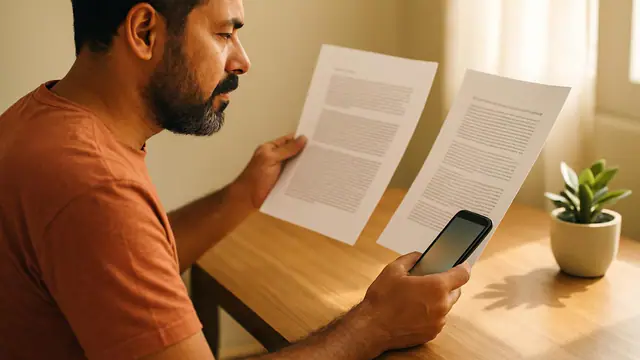 Compare PDF
Compare the text in two PDFs and see what was removed or added, page by page.
Compare PDF
Compare the text in two PDFs and see what was removed or added, page by page.
Everything you need to do with PDFs, without installing software or uploading your documents to a server. Merge contracts, split pages, reduce file sizes, sign documents, add password protection, and make scanned files searchable with OCR. Since everything is processed in your browser, there are no daily limits or wait times.